Border Tracking · Volume 1
How Border Tracking Works — A Camera That Sees the Whole Screen
The Sinden method from what Sinden itself publishes: a visible-light camera in the muzzle, a white frame drawn round the picture, and a host computer that does all the seeing
1.1 The idea in one paragraph
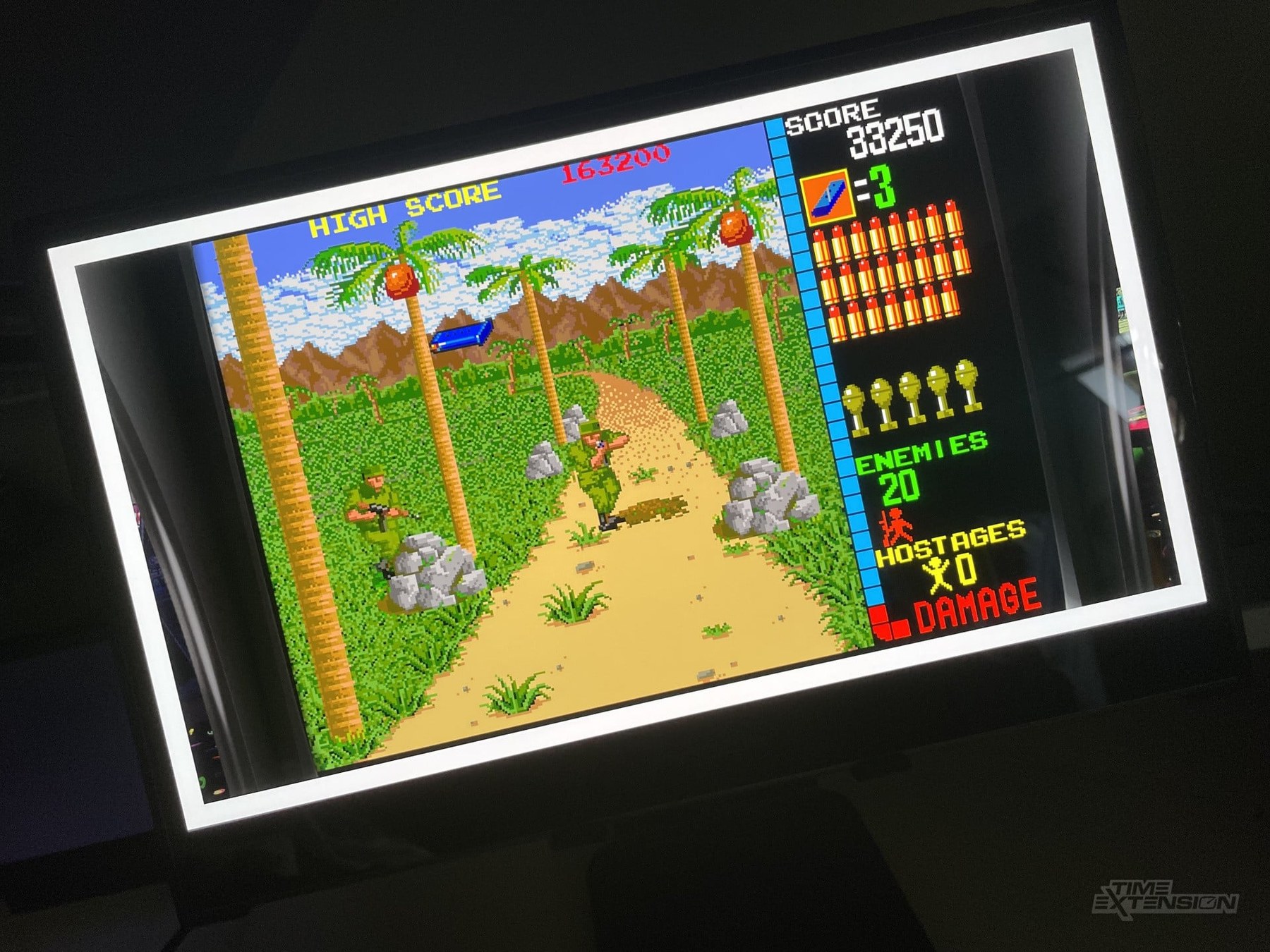
A border-tracking light gun carries an ordinary visible-light camera in its muzzle, looking where the barrel looks. Software draws a bright frame, usually white, around the edge of the game picture. Each camera frame contains a picture of the television with that frame in it, seen at some angle. Find the four corners of the frame in the camera image and the perspective mapping between the camera and the screen follows; the point the barrel is aimed at is wherever the centre of the camera image (or a calibrated point near it) lands on the screen under that mapping. Nothing is mounted at the television. The screen marks its own outline.
Sinden Technology of Britain sells the only commercial gun built this way that this research found, and it describes the principle in three sentences on its own site: “The Sinden Lightgun® software adds a thin border around your television display. The hardware is an optical based system which uses this border to visually calculate the aiming position,” and the gun “communicates by controlling your mouse cursor.”1 The company’s history, its 2018 crowdfunding and its place in the do-it-yourself revival are told in History of Light Guns, Volume 8 and are not repeated here. This dive is about the method.
1.2 Where it sits among the three ways of aiming
The category recognises three generations of sensing. Border tracking belongs to the third, the camera in the barrel, alongside infrared point tracking; what separates the two is what the camera is looking for.
Table 1 — 1.2 Where it sits among the three ways of aiming
| CRT timing | Infrared point tracking | Border tracking | |
|---|---|---|---|
| What the gun senses | The moment the scanning beam lights the aimed spot | Two to four infrared emitters placed round the screen | The picture itself, with a drawn frame round it |
| Hardware at the screen | None (the CRT is the reference) | An emitter bar or LEDs | None |
| What has to change in the picture | Flash frames on some systems | Nothing | A frame must be drawn round it, all the time |
| Where position is computed | Console | Usually in the gun (camera chip plus microcontroller) | On the host computer, in the Sinden design |
| Works on flat panels | No | Yes | Yes |
| Owning dive | CRT Timing | IR Point Tracking | This one |
The comparison that matters for this project, border against infrared for the gun this project is building, is made in full in Volume 8, after the evidence is in. The infrared method itself, its emitters, its camera chips and its geometry, belongs to IR Point Tracking; this dive contrasts with it and does not re-explain it.
1.3 What is inside the gun
Sinden publishes no specification sheet for the gun’s electronics. What can be established comes from the company’s own software package, which is a free download, and from the community wiki, and it is enough to describe the architecture.
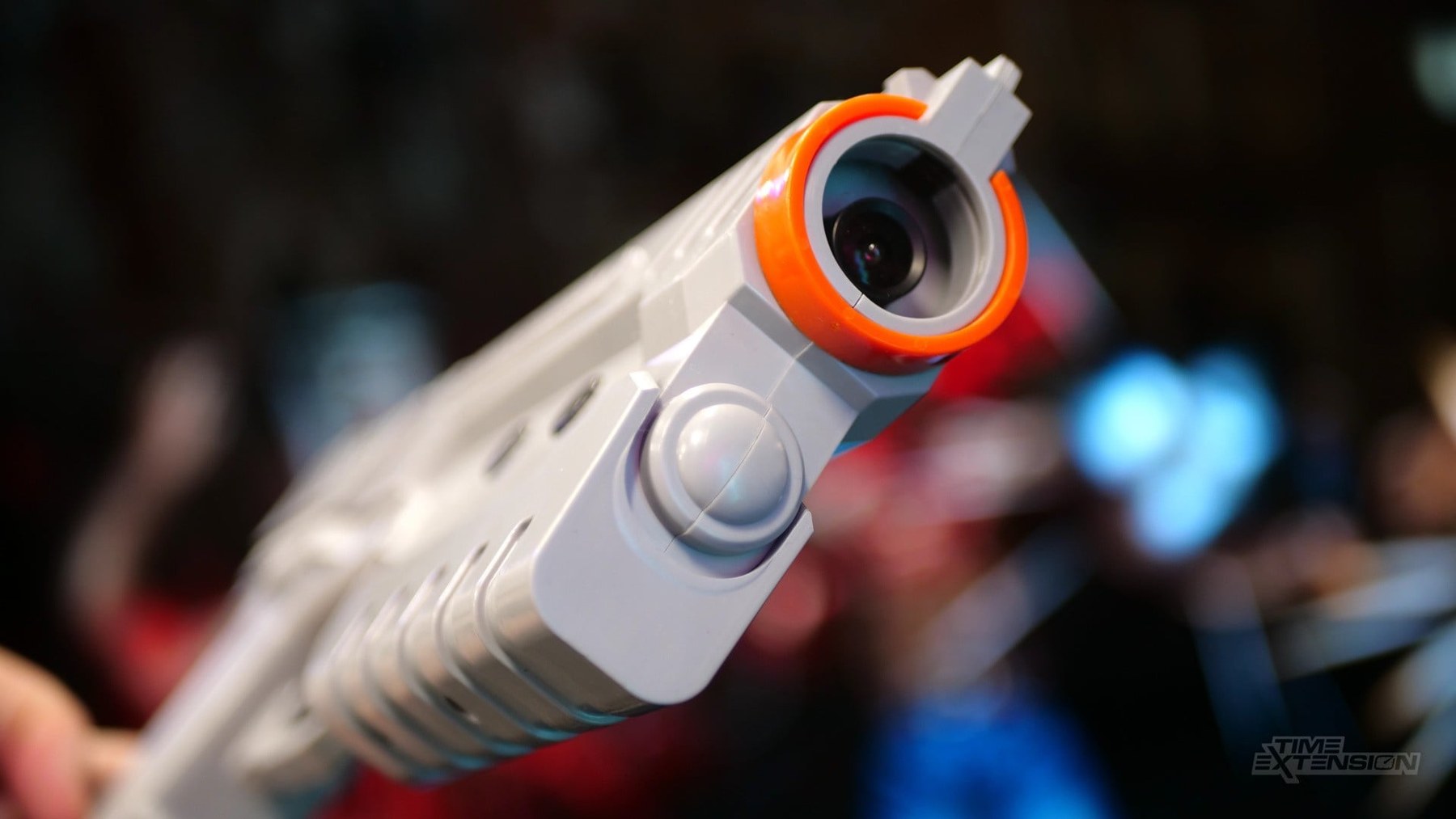
A camera module that the computer sees as a webcam. The wiki’s getting-started guide tells a new owner to open Windows Device Manager, expand the Cameras section and check that “your SindenCamera (followed by a letter) device is present.”2 The Linux build of the software asks for Video4Linux (V4L2), the kernel’s webcam interface, and its configuration file lets the user override the camera with “a value like /dev/video0.”3 The Raspberry Pi installer pulls in v4l-utils and libjpeg-dev (a JPEG decoder) among its dependencies.4 The camera is a separate, replaceable board: the wiki has a page on swapping it, and the software release notes name modules SindenCamA and SindenCamB, add support for “SindenCamC and SindenCamD camera modules” in version 1.8, and mention a “new model of camera which most 2022 lightguns will be made with (exact equal performance)” in version 1.7.56 The sensor part number, the lens and its field of view are not published anywhere that was found.
A small controller that the computer sees as a serial port. The Linux configuration “Finds the first (lowest) ttyACM device that is a Sinden Lightgun,” which is a USB communications-class serial port.3 The Windows driver file lists the gun as USB vendor 0x16C0 with product IDs 0x0F01, 0x0F02, 0x0F38 and 0x0F39.7 The controller reads the trigger, side buttons, D-pad and pump, drives the recoil solenoid on the recoil model, and stores two things the host reads back: the calibration (“Calibration is stored on the lightgun”) and the name of the camera module it expects to work with.38 Firmware images for it ship in the package as Intel HEX files, one per gun colour or player identity, plus GunCon 2 and GunCon 45 images used for the PlayStation adapter. The firmware-update driver pack is the Arduino one, and the HEX files begin with the interrupt-vector jump table of an AVR microcontroller, so the controller is evidently an Arduino-class AVR; that identification rests on the file format alone, and Sinden does not state the part.9
Nothing in the gun computes the aim. That is the decisive point, and the community states it plainly. The MiSTer setup page opens: “It is well known that the Sinden Lightgun performs its video crunching on the target computer device.”10 Sinden’s own MiSTer repository says the gun “works by processing the data from a video camera onboard the gun”, which “requires specialized software and a good amount of processing power.”8
1.4 Where the seeing is done: the host
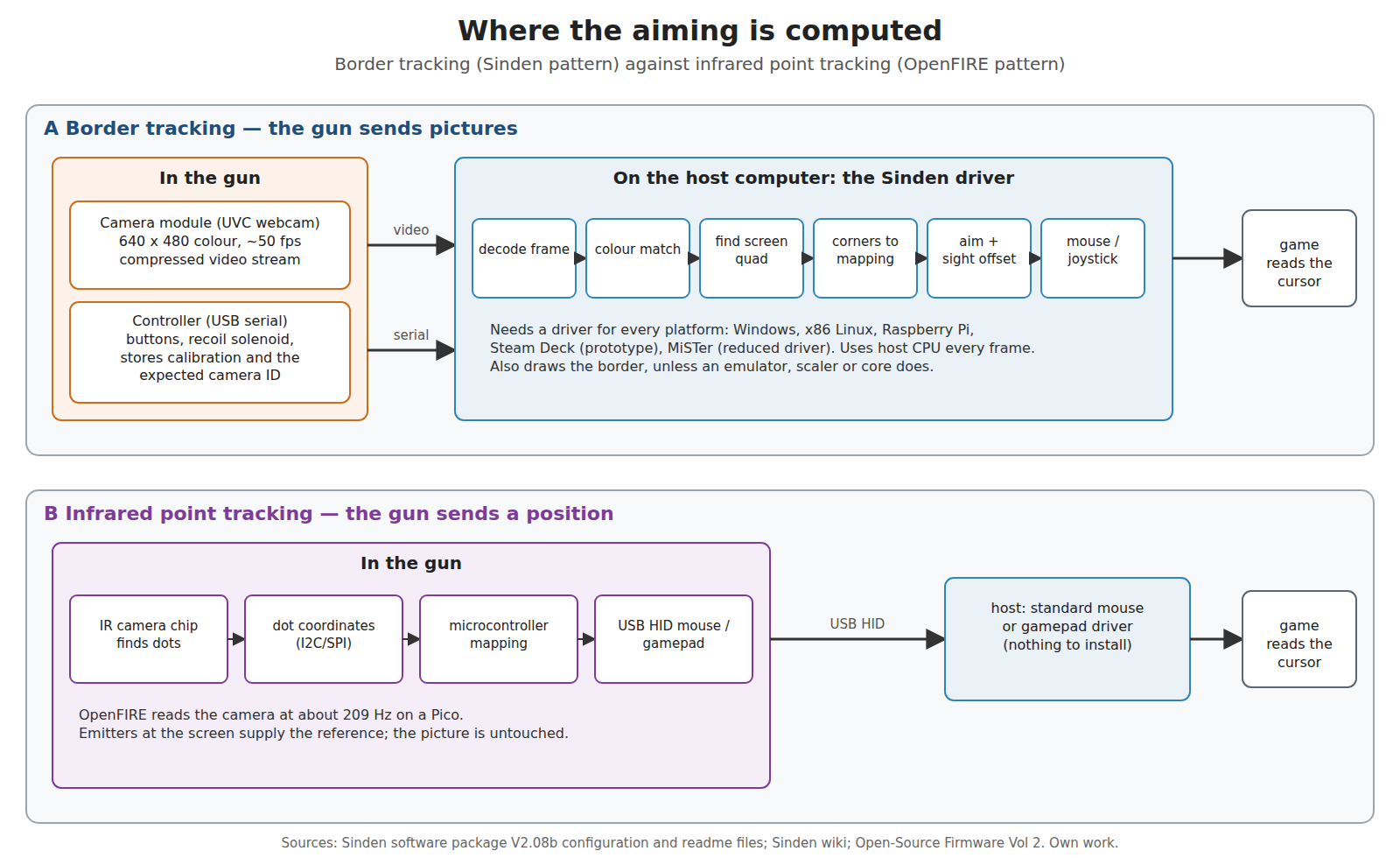
Because the gun sends pictures rather than positions, the computer must run Sinden’s driver for the gun to do anything at all. The wiki’s description of that software is exact: it “sits between your gun and the game you are playing. Takes care of identifying where you are aiming, assigning functions to the different buttons, drawing the required border, and more.”2 The driver takes the camera stream, finds the frame, computes the aim, and then injects it into the operating system as an absolute mouse position or, from version 2.5e, optionally as a joystick.5
Three consequences follow, and each reappears later in this dive.
- The gun works only where the driver runs. Sinden ships builds for Windows, x86 Linux, the Raspberry Pi and the Steam Deck (the last marked “prototype”), with a “very raw beta” for Android; the wiki’s compatibility table marks macOS and iOS as not working.1112 To run on a MiSTer FPGA, Sinden wrote a reduced driver for its 800 MHz ARM processor (Volume 4). An infrared gun that computes its own position and enumerates as a standard USB mouse needs none of this.
- The border must be on screen whenever the gun is used. The wiki repeats it in bold on several pages: “The border is needed at all times in order for the gun camera to position the shots correctly in real time during gameplay.” Its FAQ asks “Does the gun work without a border?” and answers, in full, “No.”1213 Drawing that border inside every game, emulator and video path is a job of its own (Volume 6).
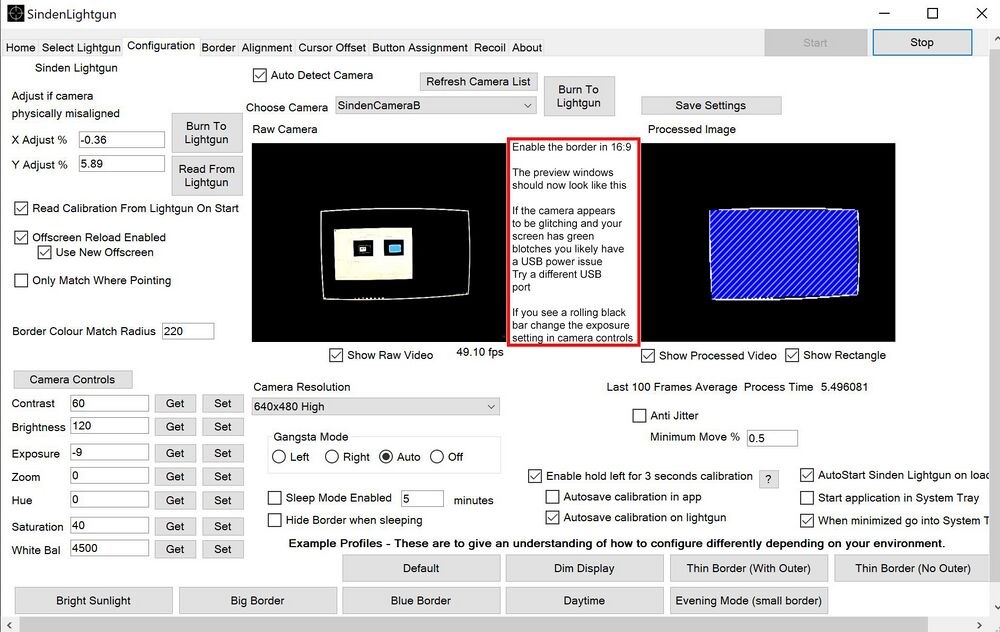
- The host’s processor is part of the gun. How fast the camera runs, and how much of each frame is examined, depends on the computer. The Linux configuration recommends 640 × 480 “unless device is weak, then 320,240.”3
1.5 One frame, start to finish
In outline, and with the detail left to the volumes that own each step:
- The display shows the game with the frame round it. The frame is drawn by Sinden’s own overlay, by an emulator, by a shader, by a video scaler or by an FPGA core (Volume 6). By default it is white and 2 % of the screen height wide, and Sinden recommends a black outer band beside it when the room or the screen’s bezel causes trouble (Volume 3).
- The camera exposes a frame. The default exposure works out at about 8 ms (Volume 4). The wiki asks owners to watch the camera frame counter and keep it at “50+ FPS.”14
- The frame crosses USB to the computer as a compressed video stream, and the driver decodes it.
- The driver finds the frame. Every pixel is compared against the border colour; the largest bright quadrilateral, or the one the gun is pointing into, is taken as the screen (Volume 2).
- The corners give a perspective mapping, and the mapping gives the aim. The aim point is corrected for the offset between the camera and the sights, stored on the gun by the alignment procedure.
- The driver moves the mouse or joystick axis, and the game reads it on its next frame.
1.6 What is published and what is not
The driver is closed. Its licence states “You have no rights to decompile this software,” and this dive has not done so.15 Everything below is taken from the plain-text configuration files, readme files and change log in Sinden’s download, from Sinden’s GitHub repositories, from the community wiki, and from press interviews.
Table 2 — 1.6 What is published and what is not
| Published (and where) | Not published |
|---|---|
| Border colour, width as a percentage of screen height, outer black band, 4:3 option (Windows configuration, wiki) | The camera sensor, lens and field of view |
| Camera resolution 640 × 480, or 320 × 240 on weak hosts (Linux configuration) | The exact detection and corner-fitting algorithm |
| The colour-match rule and its default tolerance, with measured effects on one unit (Sinden’s MiSTer repository) | Any measured end-to-end latency |
| Exposure settings and their meaning (Linux configuration, wiki) | The controller part |
| ”Over 50 times a second” and “less than 20ms” end to end (Sinden’s details page) | The camera’s frame rate as a specification (sources disagree: Volume 4) |
| Camera module IDs, the camera-swap procedure (wiki, MiSTer repository) | Circuit diagrams |
That is more than enough to understand the method and to reason about how an open version would have to be built, which is what the rest of this dive does.
1.7 The rest of this dive
Table 3 — 1.7 The rest of this dive
| Vol | Subject |
|---|---|
| 2 | The image pipeline: colour match, finding the screen, corners, the mapping, calibration; the open-source pipelines that exist; whether a microcontroller in the gun could do it |
| 3 | Geometry: border width against screen size and distance, with worked numbers |
| 4 | Latency: the budget from exposure to cursor, and how to measure it |
| 5 | Displays: brightness, the picture the border eats, overscan, HDR, dimming, OLED retention, projectors |
| 6 | Drawing the border: the Sinden overlay, RetroArch, MAME, other emulators, scalers and MiSTer |
| 7 | Ambient light, failure modes and keeping it working |
| 8 | Open alternatives, and border against infrared for this build |
Sources
Footnotes
-
Sinden Lightgun, “Details”, https://sindenlightgun.com/details/ (read 2026-10-19). ↩
-
Sinden Lightgun wiki, “Getting Started”, read from the Internet Archive raw capture at https://web.archive.org/web/2026id_/https://www.sindenwiki.org/wiki/Getting_Started on 2026-10-19 (the live wiki served a bot-verification page to a real browser and was not bypassed). ↩ ↩2
-
Sinden Lightgun software release V2.08b,
SindenLightgunLinuxSoftwareV2.05/PCversion/Standard/Lightgun/LightgunMono.exe.config(comments in the file), downloaded from https://www.sindenlightgun.com/software/SindenLightgunSoftwareReleaseV2.08b.zip on 2026-10-19; the Steam Deck readme in the same package lists “V4L2, Mono, sdl12-compat, sdl_image, sdl”. ↩ ↩2 ↩3 ↩4 -
Same package,
ARMversion/Pi/Lightgun/setup-lightgun.sh. ↩ -
Sinden Lightgun wiki, “Changing the Sinden Camera”, Internet Archive raw capture, read 2026-10-19. ↩
-
Same package,
SindenLightgunWindowsV2.08/Tools/WindowsDrivers/SindenLightgunWindowsDriver.inf. ↩ -
MrLightgun (Sinden Technology), “MiSTerSindenDriver”, README, https://github.com/MrLightgun/MiSTerSindenDriver (last pushed 2026-10-13; read 2026-10-19). ↩ ↩2
-
Same package,
SindenLightgun/firmware/*.hexandTools/FirmwareUpdateDrivers/(file names and the first record of the HEX file only; nothing was disassembled). ↩ -
Sinden Lightgun wiki, “MiSTer”, Internet Archive raw capture, read 2026-10-19. ↩
-
Sinden Lightgun, “Driver Software”, https://sindenlightgun.com/drivers/ (read 2026-10-19): V2.08b “mainline stable version” as of 9 September 2025. ↩
-
Sinden Lightgun wiki, “FAQ”, Internet Archive raw capture, read 2026-10-19. ↩ ↩2
-
Sinden Lightgun wiki, “Sinden Troubleshooting”, Internet Archive raw capture, read 2026-10-19. ↩
-
Sinden Lightgun wiki, “Visual Setup Guide”, Internet Archive raw capture, read 2026-10-19. ↩
-
Same package,
License.txt. ↩
Comments (0)